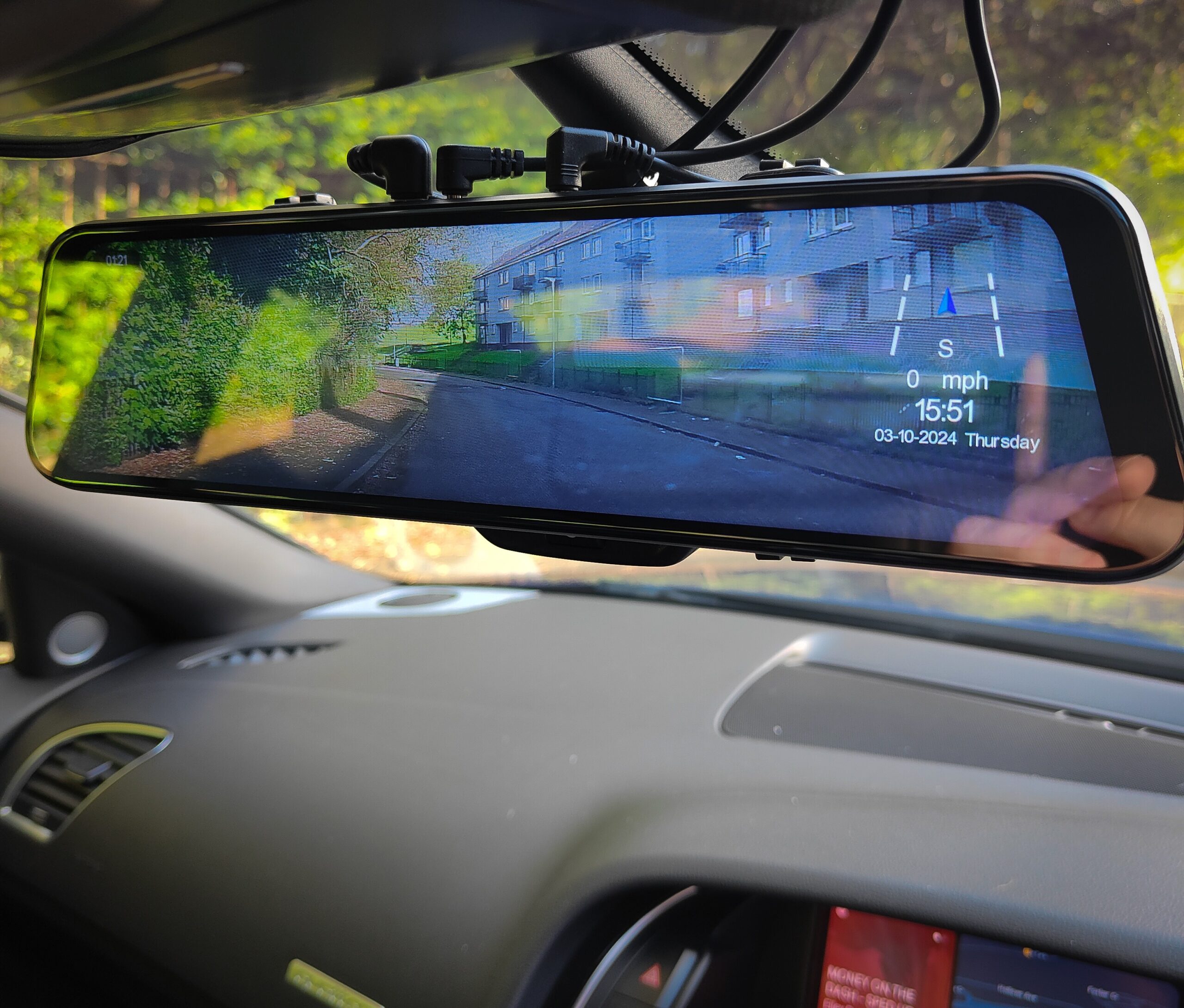
I bought a Pelsee P12 Pro mirror dash cam expecting exactly what most people expect:
record video, maybe review footage, done.
What I didn’t expect was that the video files themselves quietly contain a lot more than just video.
So naturally… I opened one in a hex editor.
The moment things got interesting
Dashcams like this typically record to .ts files (MPEG Transport Stream).
At first glance, it’s just binary noise — nothing human-readable.
Until it isn’t.
Buried inside the data, I found this:
LIGOGPSINFO 2025/03/16 16:32:07 A:xxx.x H:xxx.x ...
That’s not encoded video. That’s plain ASCII text.
And it contains:
- timestamp
- speed
- GPS coordinates
- G-force data
- heading / compass direction
In other words… everything the dashcam overlay shows you is sitting raw inside the file.
A very quick crash course in how these files work
Without going full textbook, .ts files are made up of fixed-size chunks:
- Each chunk = 188 bytes
- Each chunk starts with a sync byte (
0x47) - Each chunk belongs to a PID (Packet ID)
Think of it like multiple data streams interleaved together:
- one stream = video
- one stream = audio
- one stream = metadata
The trick is figuring out which PID contains what.
Finding the metadata stream
After scanning through packets, one PID stood out.
Instead of random-looking binary, it contained structured ASCII data starting with:
LIGOGPSINFO
That’s the dashcam basically saying:
“Hey, this packet contains GPS metadata”
Each of these packets is still exactly 188 bytes, but inside them is a structured string.
What’s actually inside each record?
Once decoded, each packet gives you a snapshot of the vehicle state at that moment:
- Date & time
- Latitude / Longitude (with N/S/E/W indicators)
- Speed (km/h)
- G-force (X / Y / Z)
- Compass direction
- Heading
Example (sanitised):
2025/03/16 16:32:07
Lat: 00.00000 N
Lon: 000.00000 W
Speed: 48 km/h
G: X:0.01 Y:-0.02 Z:1.00
A: 123.4
H: 118.7
This is effectively a telemetry log embedded directly into the video file.
The weird bits (aka reverse engineering fun)
A few interesting quirks showed up:
1. There’s a sequence byte hidden in the packet
One of the bytes (around position ~20) increments with each record.
It looks like:
- a delimiter
- and a sequence ID
Which is actually useful — you can verify packet order and detect missing data.
2. GPS “no fix” is obvious once you know it
When the camera doesn’t have a GPS fix:
- coordinates become
0.00000 - direction letters (N/S/E/W) disappear
Once you spot that pattern, it’s easy to filter out junk data.
3. There are repeating mystery bytes
At the end of each packet, there’s a repeating sequence:
3C 25 C9
Every single record.
No obvious meaning. Likely:
- padding
- checksum
- or just unused structure
Classic “this probably matters, but not yet” territory.
Why this is actually useful
This isn’t just a curiosity — it unlocks some genuinely useful things:
1. Independent evidence extraction
Instead of relying on the dashcam’s player software, you can:
- extract raw GPS
- verify speed independently
- analyse movement frame-by-frame
2. Build your own tooling
Once you know where the data lives, you can:
- export to CSV / JSON
- graph speed vs time
- map journeys
- detect harsh braking / impacts
(yes… I may have already gone down that rabbit hole)
3. Validate integrity
Because:
- packets are fixed size
- sequence values increment
You can detect:
- missing data
- tampering
- corruption
Which gets very interesting if you’re thinking about evidence use.
The key takeaway
The video file is not just video.
It’s a container of multiple data streams, and one of those streams is basically a structured telemetry feed.
Once you realise that:
- the dashcam software becomes optional
- the data becomes yours to work with
Where this is going next
This started as curiosity, but it’s quickly turning into something bigger:
- parsing full journeys across multiple files
- building a proper metadata pipeline
- exporting structured analysis
- potentially creating a portable “evidence bundle”
But that’s a post for another day.
Final thought
If you’ve got a dashcam sitting in your car right now…
There’s a decent chance it’s recording far more than you think.
You just haven’t opened it in a hex editor yet.
No responses yet